Regenerate the Import Proposal
You can modify how Excel columns are mapped to journal fields before finalizing the import.
This is useful when the automatic matching isn't quite right, or when you want to customize which field receives the imported data.
Step-by-Step: How to Regenerate Column Mapping
-
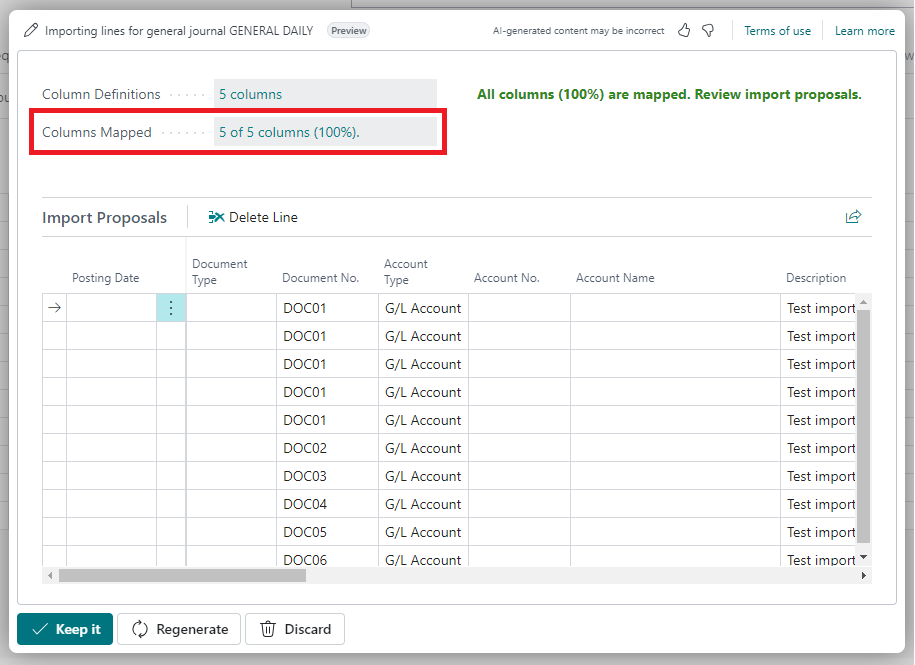
Click “Columns Mapped”
After the app generates the initial mapping, select Columns Mapped to review the proposed field assignments. -
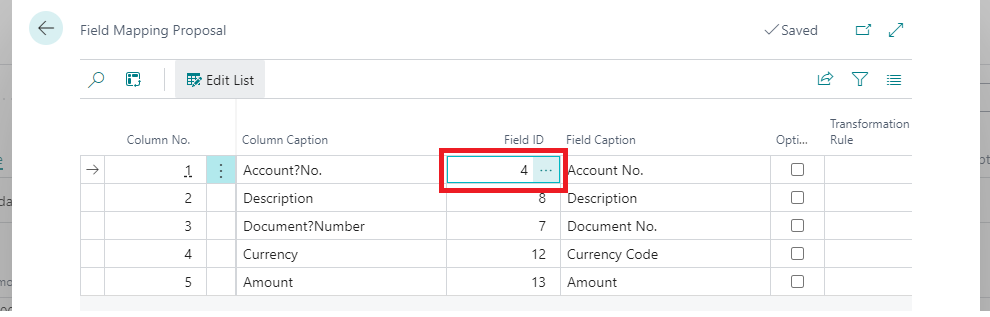
Choose a Different Destination Field
Click on a mapped field you want to change, and select a different destination from the list. -
Click “Regenerate”
After adjusting the mapping, click Regenerate to create a new import proposal based on your changes.
Example Screenshots
-
Mapped Columns Review
Displays how Excel columns were initially matched to journal fields.
-
Select a Different Field
Choose the desired destination field from the list.